Playground
The playground lets you generate images directly from the dashboard — useful for testing prompts, comparing models, and experimenting before integrating via a skill file or CLI. For production use, Depicta is designed to be used through your AI assistant or programmatically.
Using the playground
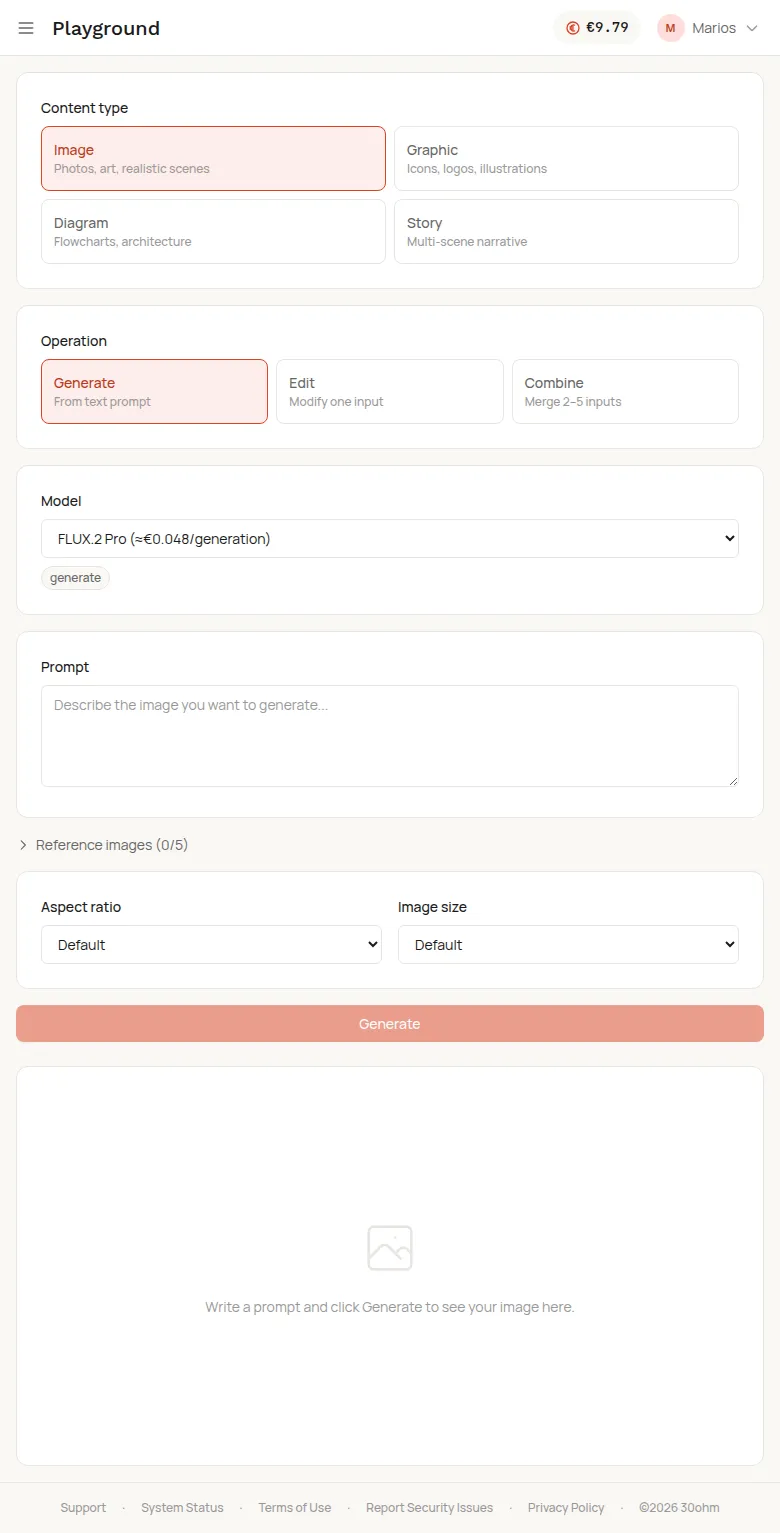
Section titled “Using the playground”- Choose a content type — Image, Graphic, Diagram, or Story.
- Pick an operation — Generate, Edit, or Combine.
- Select a model — or leave the default. Each model shows its approximate cost.
- Write your prompt — describe what you want.
- Add reference images (optional) — up to 5, for style or composition guidance.
- Set aspect ratio and image size (optional).
- Click Generate.
The result appears in the preview panel. Download it or copy the URL.
Features
Section titled “Features”- All content types and operations — everything available via CLI and API works here.
- Model picker with live pricing — see the cost before you generate.
- Reference images — upload up to 5 for style anchoring.
- Aspect ratios — from 1:1 to 21:9.
- Cost tracking — your balance updates after each generation.